
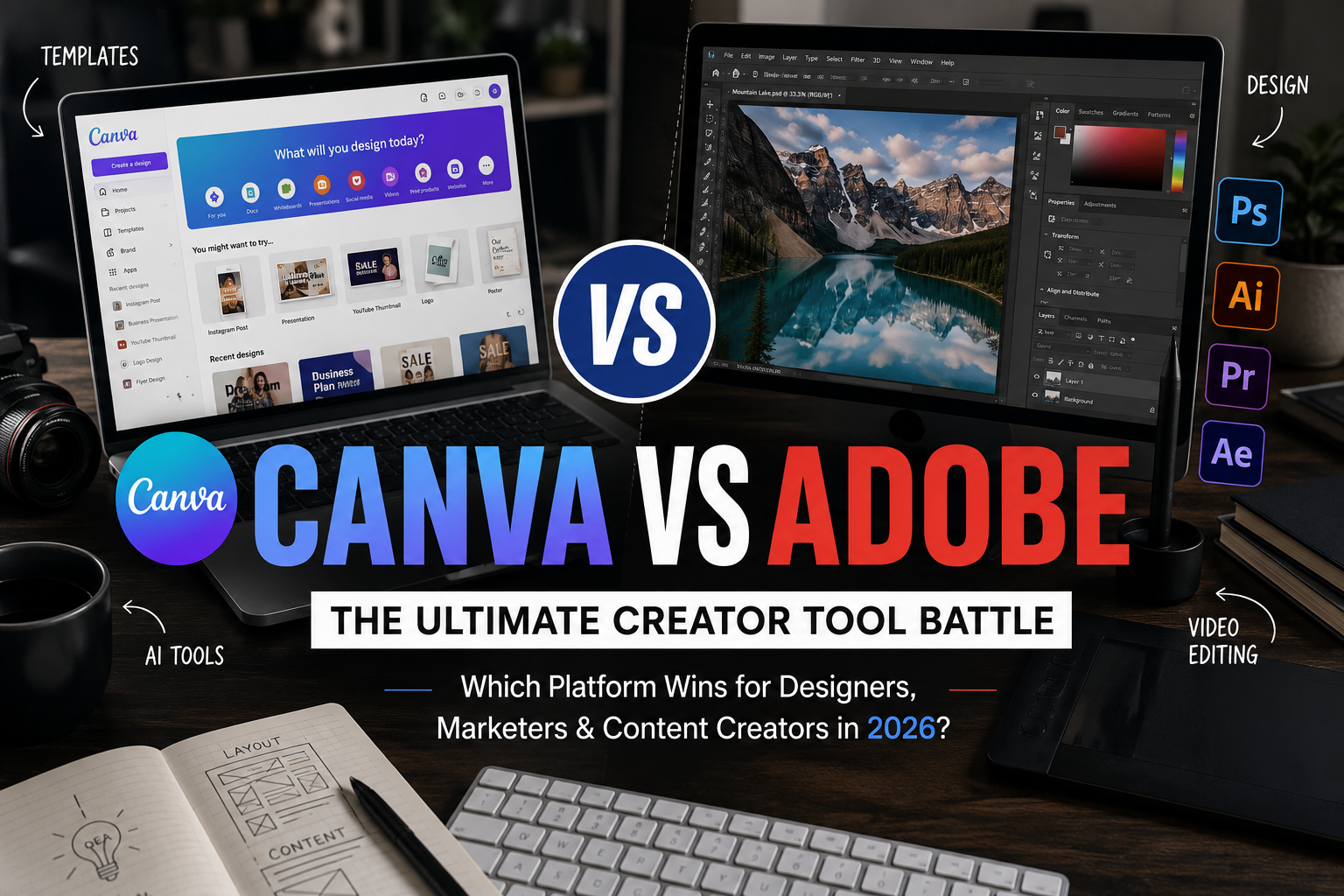
Canva vs Adobe: The Creator Tool Battle – Which Platform Is Better for Designers, Marketers, and Content Creators?
In today’s digital-first world, content creation has become one of the most valuable skills across industries. Whether you’re designing Instagram posts, editing YouTube videos, creating presentations, building brand identities, or producing marketing campaigns, the right creative software can significantly impact your workflow. Among the biggest names dominating this space are Canva and Adobe two platforms that have completely transformed how people create visual content.
While Adobe has been the industry standard for decades, Canva has rapidly emerged as the favourite choice for entrepreneurs, marketers, educators, influencers, and small businesses. Both platforms promise powerful creative capabilities, but they target different audiences and solve different problems.
The debate isn’t about which platform is objectively better. Instead, it’s about understanding which tool fits your creative goals, budget, workflow, and skill level. Let’s explore the complete battle between Canva and Adobe to see which platform truly deserves a place in your creative toolkit.
The Rise of Canva: Making Design Accessible to Everyone
When Canva launched in 2013, its mission was simple make design easy for everyone. At a time when professional design software required extensive training, Canva introduced a drag-and-drop interface that allowed anyone to create visually appealing graphics within minutes.
This approach completely changed the creative industry. Suddenly, business owners no longer needed professional designers for every social media post. Teachers could create presentations effortlessly. Students could produce polished assignments, and marketers could quickly design promotional materials without learning complicated software.
One of Canva’s biggest strengths is its simplicity. Users can choose from thousands of professionally designed templates, customize colors and fonts, upload images, and export finished designs without needing technical expertise.
Today, Canva has evolved far beyond graphic design. It now includes video editing, presentation tools, AI-powered design assistants, website creation, whiteboards, document collaboration, and brand management features, making it a comprehensive creative platform for teams and individuals alike.
Adobe: The Gold Standard of Professional Creativity
Adobe’s creative ecosystem has shaped modern digital design for decades. Applications like Photoshop, Illustrator, Premiere Pro, After Effects, Lightroom, and InDesign are considered essential tools in professional creative industries.
Unlike Canva, Adobe software prioritizes complete creative freedom. Rather than relying on templates, Adobe allows creators to build designs from scratch with precise control over every detail.
Professional photographers rely on Lightroom and Photoshop for advanced image editing. Graphic designers use Illustrator for vector artwork. Video editors depend on Premiere Pro, while motion designers bring animations to life with After Effects.
Adobe remains the preferred choice for agencies, publishing companies, film studios, game developers, advertising firms, and experienced designers who require advanced functionality and professional-grade precision.
User Interface: Simplicity vs Creative Control
One of the biggest differences between Canva and Adobe lies in the user experience.
Canva is intentionally designed for beginners. Its interface is clean, intuitive, and easy to navigate. Most users can create their first design within minutes of signing up. Everything is visual, requiring little technical knowledge.
Adobe products, on the other hand, come with a much steeper learning curve. Applications like Photoshop or Illustrator include hundreds of tools, settings, panels, shortcuts, and editing options. While this complexity can feel overwhelming initially, it provides unmatched creative flexibility once mastered.
For someone creating quick social media graphics or marketing materials, Canva’s simplicity is often more practical. However, for professional designers handling complex branding projects, Adobe’s depth becomes indispensable.
Design Templates: Canva Leads the Way
Templates are one of Canva’s strongest advantages.
The platform offers millions of ready-made templates for Instagram posts, YouTube thumbnails, presentations, resumes, business cards, flyers, invitations, brochures, infographics, posters, and much more.
Users simply choose a design, replace the text and images, adjust colors, and export their finished project.
Adobe also provides templates, particularly through Adobe Express, but its professional software generally expects users to design projects from scratch.
For businesses that need fast, consistent content production, Canva significantly reduces production time while maintaining visual quality.
Image Editing Capabilities
Image editing is where Adobe continues to dominate.
Photoshop remains one of the most powerful image editing applications ever developed. It supports advanced retouching, object removal, layer masking, color grading, compositing, AI-powered editing, and professional photo manipulation.
Canva includes increasingly capable image editing tools, including background removal, magic erase, filters, AI image generation, automatic resizing, and photo enhancement. These features satisfy the needs of most everyday creators.
However, when precision editing, commercial photography, advertising campaigns, or digital art are involved, Photoshop remains in a league of its own.
Video Editing: Closing the Gap
Video has become the most valuable form of online content, making editing tools increasingly important.
Canva has rapidly improved its video editing capabilities by introducing timeline editing, transitions, animations, stock footage, captions, audio editing, and AI-powered video tools.
These features work exceptionally well for social media creators producing Reels, Shorts, TikTok videos, promotional advertisements, and educational content.
Adobe Premiere Pro, however, offers professional editing capabilities including multi-camera editing, cinematic color grading, advanced audio mixing, visual effects integration, motion graphics, and collaborative production workflows.
For Hollywood-level production and commercial filmmaking, Adobe remains unmatched. For quick digital marketing videos, Canva provides more than enough functionality.
AI Features: Innovation on Both Sides
Artificial intelligence has become a major battlefield between Canva and Adobe.
Canva has integrated AI throughout its platform with features like Magic Write, Magic Design, background removal, image expansion, text-to-image generation, automatic presentations, translation tools, and content suggestions.
Adobe has responded aggressively with Adobe Firefly, bringing generative AI directly into Photoshop, Illustrator, Premiere Pro, and Express.
Adobe’s AI focuses more on professional creative workflows, allowing users to generate images, extend backgrounds, remove objects, create textures, and automate repetitive editing tasks while maintaining high-quality outputs.
Both companies continue investing heavily in AI, making this one of the fastest-evolving areas of the creator economy.
Collaboration and Team Productivity
Modern businesses rarely create content alone. Teams require collaborative editing, approval workflows, shared assets, and centralized branding.
Canva excels in this area.
Multiple team members can edit designs simultaneously, leave comments, manage folders, share templates, and maintain consistent branding through Brand Kits.
Marketing teams especially benefit from Canva because non-designers can easily update promotional materials without affecting overall brand consistency.
Adobe has significantly improved collaboration through Creative Cloud, shared libraries, cloud documents, and Adobe Express. However, Canva still offers a smoother experience for fast-moving marketing teams.
Learning Curve: Which Platform Is Easier?
Learning Canva takes hours.
Learning Adobe can take months.
This difference largely explains Canva’s explosive popularity among beginners and small businesses.
Most Canva users never need formal training. Tutorials are short, and the interface naturally guides users through the design process.
Adobe requires dedication. Mastering Photoshop, Illustrator, or Premiere Pro involves understanding layers, masks, vectors, typography, color management, shortcuts, and professional workflows.
While Adobe demands greater effort, the long-term creative possibilities are substantially greater.
Pricing Comparison
Pricing is another major factor influencing creators.
Canva offers an excellent free version with thousands of templates, stock assets, and editing tools. Canva Pro unlocks premium templates, AI features, brand kits, magic resize, advanced collaboration, and a much larger content library at an affordable subscription price.
Adobe follows a subscription model cantered around Creative Cloud. Users can subscribe to individual applications or purchase the complete Creative Cloud suite, which includes dozens of professional creative tools.
For freelancers or small businesses focused primarily on social content, Canva often delivers greater value.
Professional agencies, photographers, filmmakers, and designers usually find Adobe’s broader ecosystem worth the investment.
Best Platform for Different Types of Creators
The ideal choice often depends on your profession rather than the software itself.
Canva is ideal for:
Adobe is best suited for:
Many professionals actually use both platforms together. Canva handles quick marketing assets, while Adobe powers high-end creative production.
The Future of Creative Software
The line separating Canva and Adobe is becoming increasingly blurred.
Canva continues adding professional capabilities like AI-powered editing, advanced branding tools, website creation, and enterprise collaboration. Meanwhile, Adobe is simplifying its products through Adobe Express and integrating AI to make professional design more accessible.
Rather than replacing each other, the two platforms are moving toward different ends of the same creative spectrum. Canva is becoming more powerful, while Adobe is becoming easier to use.
As artificial intelligence continues reshaping creative work, both companies are likely to focus on automation, faster workflows, and smarter design assistance without eliminating human creativity.
Which One Should You Choose?
If your primary goal is producing attractive content quickly without spending months learning professional software, Canva is difficult to beat. Its intuitive interface, extensive template library, affordable pricing, and collaborative features make it an outstanding choice for marketers, entrepreneurs, educators, and everyday content creators.
If your work demands complete creative freedom, pixel-perfect editing, professional illustration, cinematic video production, or advanced branding, Adobe remains the industry benchmark. Its software provides unmatched control, scalability, and professional-grade capabilities that experienced creators depend on daily.
Ultimately, the debate isn’t about Canva versus Adobe as rivals—it’s about choosing the right tool for the right job. Many successful creators seamlessly combine both platforms, using Canva for speed and efficiency while relying on Adobe for projects that require precision and advanced creative control.
Final Verdict
The creator economy is larger than ever, and there has never been a better time to bring ideas to life. Canva has democratized design by making creativity accessible to millions, while Adobe continues to define professional excellence with its powerful suite of creative applications. Both platforms are evolving rapidly, fuelled by artificial intelligence and cloud-based collaboration, ensuring creators have more options than ever before.
The real winner isn’t Canva or Adobe—it’s today’s creator. Whether you’re launching a startup, managing a global brand, building a personal portfolio, or creating content for social media, both platforms offer unique strengths that can elevate your work. Instead of viewing them as competitors, think of them as complementary tools. Choosing the one that aligns with your workflow, experience, and creative ambitions will ultimately lead to better content, greater productivity, and stronger visual storytelling.

Software Developer & Writer
Hey, I'm Diva, a developer and writer blending code and creativity. I'm driven by a deep curiosity and a relentless pursuit of excellence. Join me as I craft digital solutions and captivating stories.



Leave A Comment