
Top 5 Tools Every Content Creator Needs in 2026
Top 5 Tools Every Creator Needs to Create Better Content Faster
The creator economy has evolved into one of the fastest-growing industries in the world. Whether you’re a YouTuber, Instagram influencer, TikTok creator, blogger, podcaster, freelancer, or business owner, creating high-quality content consistently has become essential for building an audience. However, producing engaging content is no longer just about creativity—it also requires the right set of tools.
Today’s successful creators rely on powerful software that helps them plan ideas, edit videos, design graphics, write compelling content, analyse performance, and collaborate with teams. These tools eliminate repetitive tasks, improve workflow, and allow creators to focus more on storytelling rather than spending hours on technical work.
With hundreds of creator tools available online, choosing the right ones can feel overwhelming. Some specialize in editing, others in design or productivity, while AI-powered platforms are changing how creators work altogether.
If you’re serious about growing your personal brand or content business, these are the five tools every creator should consider adding to their workflow in 2026.
No creator can ignore the importance of visual content. Whether you’re posting on Instagram, designing YouTube thumbnails, creating Pinterest graphics, or building presentations, attractive visuals determine whether people stop scrolling or keep moving.
Canva has become the go-to design platform because it combines simplicity with professional-level capabilities. Unlike traditional design software that requires extensive learning, Canva enables beginners and professionals alike to create stunning graphics within minutes.
The platform offers thousands of customizable templates for social media posts, infographics, business presentations, posters, newsletters, advertisements, and digital products. Its drag-and-drop interface makes editing effortless, while its expanding AI features can generate images, remove backgrounds, resize designs automatically, and even suggest layouts.
One of Canva’s greatest strengths is brand consistency. Creators can upload logos, save brand colors, organize fonts, and maintain a unified visual identity across every platform.
Why creators love Canva
Whether you’re an independent creator or managing multiple client accounts, Canva dramatically reduces design time while maintaining professional quality.
Video content dominates every major platform today. Instagram Reels, TikTok, YouTube Shorts, Facebook Reels, and even LinkedIn increasingly prioritize short-form videos.
Cap Cut has emerged as one of the most powerful yet beginner-friendly editing tools available. Initially popular among TikTok creators, it has grown into a complete editing suite suitable for both short-form and long-form content.
The software includes automatic captions, AI voice enhancement, motion tracking, cinematic transitions, filters, color correction, green screen effects, background removal, speed ramping, and advanced timeline editing.
Perhaps the biggest advantage is its AI automation. Instead of spending hours manually editing clips, creators can generate subtitles, remove silences, stabilize shaky footage, and improve audio quality automatically.
The desktop version offers even more professional editing options while remaining significantly easier to learn than traditional editing software.
Key Cap Cut features
For creators producing daily video content, Cap Cut offers an excellent balance between simplicity, speed, and professional-quality results.
Modern creators are expected to produce more content than ever before. Brainstorming ideas, writing scripts, creating captions, researching trends, drafting newsletters, optimizing SEO articles, and responding to audiences can consume countless hours every week.
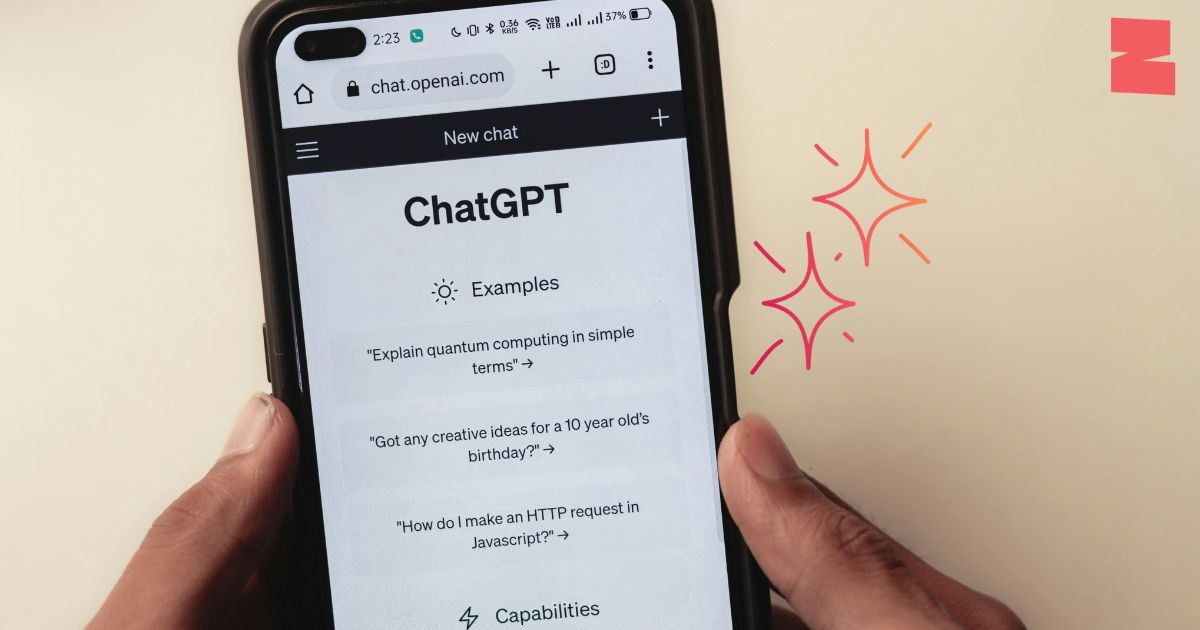
That’s where ChatGPT has become indispensable.
Instead of replacing creativity, AI acts as a productivity partner. It helps creators overcome writer’s block, generate fresh ideas, organize content strategies, improve storytelling, rewrite articles, optimize headlines, and produce engaging social media copy much faster than traditional methods.
Many professional creators use ChatGPT to create YouTube outlines, podcast scripts, email campaigns, LinkedIn posts, Instagram captions, blog drafts, and SEO-friendly articles before refining everything with their personal voice.
Another major advantage is research assistance. Rather than spending hours gathering background information, creators can quickly understand complex topics and structure content more efficiently.
Ways creators use ChatGPT
The most successful creators don’t simply ask AI to write everything they use it as a collaborative partner that speeds up production while keeping their unique perspective intact.
Many creators underestimate how much time they lose because of poor organization. Ideas get forgotten, deadlines are missed, brand collaborations become difficult to manage, and content calendars fall apart.
Notion solves these problems by acting as an all-in-one productivity workspace.
Instead of juggling multiple note-taking apps, spreadsheets, calendars, and project management software, creators can centralize everything inside a single dashboard.
A typical creator workspace might include:
The flexibility of Notion allows creators to customize pages according to their workflow. Whether working solo or collaborating with a team, everyone stays aligned.
Recent AI integrations further improve productivity by summarizing notes, generating outlines, organizing meeting discussions, and helping creators retrieve information instantly.
Benefits of Notion
Consistency is often what separates successful creators from everyone else, and Notion helps maintain that consistency through structured planning.
Creating content without analysing performance is like driving with your eyes closed.
While creativity attracts attention, data reveals why certain content succeeds and others fail. Google Analytics remains one of the most valuable free tools available for creators who own websites, blogs, newsletters, or online businesses.
It provides detailed insights into audience behavior, including traffic sources, user demographics, engagement time, popular pages, conversion rates, and returning visitors.
These insights help creators identify which topics generate the most interest, which keywords drive organic traffic, and where readers leave the website. Instead of relying on assumptions, creators can make informed decisions backed by real audience data.
Combined with SEO tools and social media analytics, Google Analytics allows creators to continuously refine their content strategy for maximum growth.
What you can track
Data-driven creators consistently outperform those who rely solely on intuition because they adapt their strategy based on measurable results.
How These Five Tools Work Together
The real power of these tools lies in using them as a connected workflow rather than as individual applications.
A creator might begin by organizing ideas and scheduling content in Notion. Once a topic is selected, ChatGPT can help brainstorm angles, create an outline, draft scripts, or write the first version of a blog post. Canva then transforms those ideas into visually engaging graphics, thumbnails, carousels, or social media posts that strengthen the overall presentation.
For video content, Cap Cut makes it easy to edit footage, add captions, enhance audio, and produce polished videos optimized for platforms like YouTube, Instagram Reels, and TikTok. Finally, after publishing, Google Analytics measures audience engagement, traffic sources, and performance metrics, helping creators understand what resonates most with their audience and refine future content.
This streamlined workflow saves time, improves consistency, and enables creators to focus on producing valuable content rather than juggling disconnected tools.
Choosing the Right Tool for Your Creator Journey
Every creator has different needs depending on their niche, goals, and preferred content format. A travel creator may spend more time editing cinematic videos, while a blogger might prioritize writing tools and analytics. Graphic designers often rely heavily on visual platforms, whereas educators may focus on organization and research.
The key is not to use every tool available but to select the ones that solve your biggest challenges. As your audience grows and your workflow becomes more demanding, these tools can scale alongside your business, supporting everything from solo content creation to full-scale brand management.
Investing time in mastering a handful of reliable platforms often delivers far greater results than constantly experimenting with new software.
Final Thoughts
The creator economy is becoming increasingly competitive, but the right tools can give you a significant advantage. Canva simplifies professional design, Cap Cut makes video editing accessible, ChatGPT accelerates writing and ideation, Notion keeps your workflow organized, and Google Analytics provides the insights needed to make smarter decisions.
Together, these five platforms form a practical toolkit for modern creators who want to produce high-quality content consistently without sacrificing efficiency. Rather than replacing creativity, they remove technical barriers, allowing you to spend more time developing original ideas, connecting with your audience, and growing your brand.
As content continues to evolve in 2026 and beyond, creators who combine creativity with smart technology will be better positioned to stand out in an increasingly crowded digital landscape. Master these tools, build a repeatable workflow, and you’ll be well equipped to create content that captures attention, delivers value, and drives long-term success.

Software Developer & Writer
Hey, I'm Diva, a developer and writer blending code and creativity. I'm driven by a deep curiosity and a relentless pursuit of excellence. Join me as I craft digital solutions and captivating stories.

Leave A Comment