
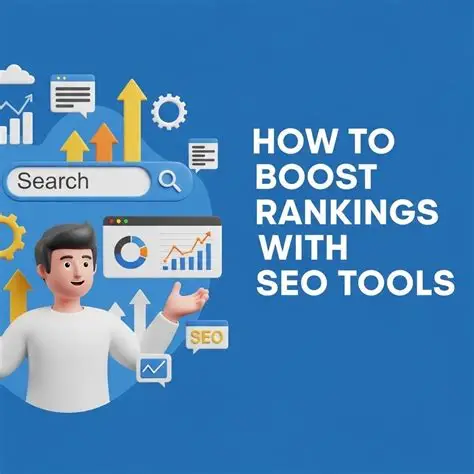
How to Make Your Website More Search-Friendly: Essential SEO Tools to Improve Rankings, Traffic, and User Experience
A website can have excellent content, an attractive design, and valuable products or services, yet still struggle to attract visitors. The reason is often simple: people cannot easily discover it through search engines. In an increasingly competitive digital landscape, building a website is only the first step. Businesses also need to make their websites easy for search engines to crawl, understand, index, and recommend to people searching for relevant information. This is where search engine optimisation, commonly known as SEO, becomes essential.
Making a website more search-friendly involves much more than adding keywords to page titles or publishing blog articles regularly. Search engines evaluate numerous signals to understand what a page offers and whether it can satisfy a user’s search intent. Website structure, page speed, mobile usability, content quality, internal linking, technical accessibility, and external references can all influence how effectively a website performs in organic search. At the same time, visitors expect a smooth experience, useful information, and clear navigation. A website that satisfies both search engines and real users is better positioned to build sustainable visibility.
Fortunately, businesses do not need an enormous marketing budget to start improving their search performance. Several free and paid SEO tools can help identify technical problems, discover valuable keywords, analyse competitors, improve content, and measure results. From Google’s own search tools to specialist platforms such as Ahrefs, Semrush, Screaming Frog, and Page Speed Insights, the right combination can turn SEO from guesswork into a measurable process.
What Does It Mean to Make a Website Search-Friendly?
A search-friendly website is designed and maintained so that search engines can access its pages, understand their purpose, and determine when they may be relevant to a user’s query. It also gives visitors a clear, accessible experience once they arrive. Search-friendly does not simply mean appearing at the top of Google. It means building a website that communicates its subject clearly, answers meaningful questions, and makes information easy to find.
Consider an online store selling skincare products. If its product pages contain only short descriptions, its category pages are difficult to navigate, and important pages load slowly on mobile devices, both visitors and search engines may struggle to understand the value of the site. Improving product descriptions, creating useful buying guides, strengthening internal links, and fixing technical issues can help the store establish a clearer structure. These changes do not guarantee higher rankings, but they can improve discoverability and the experience customers receive.
The same principles apply to blogs, technology websites, service businesses, and digital publishers. Search-friendly websites use descriptive page titles, relevant headings, readable URLs, informative content, and logical navigation. They also avoid common technical barriers, including accidental indexing restrictions, broken links, duplicate pages, and inaccessible content. Effective SEO combines these fundamentals with ongoing analysis, because search behaviour, competitors, and website performance can change over time.
Google Search Console is one of the most important tools for anyone who wants to improve website visibility in Google Search. It provides information about how a website appears in search results, which queries generate impressions and clicks, which pages receive organic traffic, and whether Google has reported indexing or technical issues. Because it comes directly from Google, it is an excellent starting point for understanding a website’s search performance without paying for a specialist SEO subscription.
One of its most useful features is the Performance report. Website owners can review search queries, page-level results, click-through rates, and average positions to identify opportunities for improvement. For example, a technology blog may discover that an article receives many impressions for a relevant search phrase but attracts relatively few clicks. Reviewing the page title and meta description may reveal an opportunity to make the result more specific and appealing, provided the revised wording accurately reflects the article.
The URL Inspection tool helps users check how Google has discovered and indexed a particular page, while the indexing reports can highlight pages that are excluded from search results for different reasons. Search Console also provides information about submitted sitemaps and certain website experience signals. However, it is important to understand that not every excluded URL represents an error, and requesting indexing does not guarantee that Google will index a page or rank it well.
For new websites, Search Console should be one of the first tools to configure. It provides a practical foundation for diagnosing visibility problems, monitoring progress after SEO changes, and identifying pages that deserve further optimisation. It is free to use, making it particularly valuable for small businesses, bloggers, startups, and digital marketing teams.
Getting visitors to a website is only part of the challenge. Businesses also need to understand whether those visitors find the information useful, explore additional pages, register for services, or make purchases. Google Analytics 4 (GA4) helps website owners analyse user interactions and assess how digital marketing efforts contribute to business objectives. Although it is not a direct search-ranking tool, it complements SEO by showing what happens after someone reaches the website.
For example, an e-commerce website might receive increasing organic traffic but see little improvement in product enquiries or sales. Analytics data can help the team investigate which landing pages attract visitors, which channels bring engaged users, and where people complete or abandon important journeys. A publisher may use the same information to understand which article categories attract returning readers or lead visitors towards related content.
GA4 becomes particularly useful when its reports are connected to clearly defined goals. Depending on the business, these may include purchases, newsletter subscriptions, lead submissions, or other meaningful events. The insights can help marketers prioritise improvements to landing pages and user journeys instead of judging SEO success purely by traffic volume.
However, analytics data needs to be interpreted carefully. A high engagement rate does not automatically mean a page will rank better, and a short visit is not necessarily a negative outcome if the visitor quickly finds the answer they need. The goal is to understand visitor behaviour in context and use that information to improve the website experience and business results.
Keyword research helps businesses understand the language people use when searching for products, services, and information. Instead of guessing which phrases might attract visitors, marketers can use keyword research tools to explore search demand, discover related terms, and organise content around genuine user needs. Google Keyword Planner, available through Google Ads, is one option for researching keyword ideas and estimated search volumes.
Suppose a website publishes content about digital marketing. A broad keyword such as “SEO” is highly competitive and does not clearly reveal what the searcher wants. More specific searches, such as “how to make a website more search-friendly,” “best free SEO tools for small businesses,” or “website technical SEO checklist,” communicate more focused needs. These longer phrases are often called long-tail keywords, and they can help content creators develop articles that answer particular questions.
Keyword Planner provides keyword ideas and advertising-related estimates, but its search-volume figures may appear in ranges depending on the account and available data. Search volumes can also vary by location, language, and time period. For organic SEO, keyword research should therefore be combined with direct examination of search results and Search Console data rather than treated as a precise prediction of future website traffic.
The most effective keyword strategy balances relevance, search intent, competition, and business value. A page should target a clear primary topic while naturally incorporating related phrases and synonyms where they help explain the subject. Repeating the same keyword excessively can make writing awkward and may create a poor user experience. Strong content focuses on answering the question comprehensively, not forcing a phrase into every paragraph.
Search behaviour changes constantly as new products launch, industries evolve, and public interest shifts. Google Trends helps marketers explore how interest in a search term changes over time, compare related topics, and identify differences between regions. It is especially useful for publishers, technology websites, e-commerce businesses, and brands that want to create timely content without relying entirely on guesswork.
Imagine a website covering consumer technology. Before publishing an article about a new smartphone, the content team can compare interest in related product categories, explore regional differences, and investigate whether a topic is gaining attention or declining. For an e-commerce publisher, this can help shape seasonal buying guides and product comparisons. A travel website might use the same approach to discover when particular destinations attract more search interest, while a marketing blog could explore growing interest in emerging digital tools.
Google Trends should not be treated as a precise keyword-volume tool. Its figures represent relative search interest rather than the exact number of searches, and low-volume terms may not provide enough data for meaningful comparisons. Nevertheless, it is an effective way to identify potential content opportunities and understand how audience interests change. Pairing Trends with Keyword Planner and Search Console can help businesses move from discovering a topic to measuring how their content performs.
Semrush is a comprehensive SEO and digital marketing platform designed for businesses that want to understand their search visibility and identify opportunities to compete more effectively. Its toolkit includes keyword research, domain analysis, competitor research, site auditing, rank tracking, and backlink analysis, although available features and limits depend on the subscription plan. For websites publishing regularly or competing in crowded markets, this combination can provide a more detailed view of the search landscape than individual free tools.
One practical use is competitor keyword analysis. A marketing team can examine which organic search terms bring visibility to competing websites, identify subjects they have covered successfully, and discover gaps in its own content strategy. If competing technology publishers are attracting search traffic through detailed guides on cybersecurity, AI tools, or streaming devices, the analysis can help a website identify relevant topics worth exploring. The goal should not be to copy competitors, but to discover what audiences need and create something more useful, original, or specific.
Semrush’s site auditing features can also highlight technical and on-page SEO issues, such as broken links, missing metadata, redirect problems, or other configuration concerns. Meanwhile, its backlink analysis tools help users examine links pointing to their websites and competitors’ domains. These insights can inform digital PR, partnerships, and outreach strategies, particularly when a publisher wants to build credibility within a specific industry.
The main limitation is cost. Semrush may offer more capabilities than a small website needs, particularly during the early stages of SEO development. Its data should also be interpreted as third-party estimates rather than an exact record of Google’s internal ranking systems or a competitor’s actual traffic. For businesses with a clear growth strategy and a recurring need for competitive analysis, however, it can be a valuable investment.
Ahrefs is another widely used SEO platform, particularly known for backlink research, keyword exploration, competitor analysis, and site auditing. It helps website owners investigate how other websites link to their content, identify pages that attract external references, and explore opportunities to build a stronger organic search presence. These insights can be particularly useful for publishers and brands competing in niches where established websites already have substantial visibility.
Backlinks are links from other websites to your pages. When earned naturally from relevant, reputable sources, they can help search engines discover content and provide signals of authority. Ahrefs allows users to investigate referring domains, examine competitors’ link profiles, and discover content that attracts attention within a niche. A technology publisher, for example, might find that original research, expert interviews, or detailed product comparisons attract links from industry publications. That information can guide the development of original content that deserves attention in its own right.
Ahrefs also supports keyword research and content exploration, allowing marketers to assess potential search terms and identify pages that appear to perform well in organic search. Combined with a clear editorial strategy, these features can help a website target relevant subjects rather than publishing articles without a defined audience or purpose.
However, backlink building should focus on genuine relevance and editorial value, not simply accumulating as many links as possible. Buying manipulative links or participating in link schemes can violate search engine spam policies. Ahrefs is most useful when its data supports a sustainable strategy built around helpful content, meaningful industry relationships, and legitimate references from other websites. As with Semrush, the cost and available data limits should be evaluated before selecting a subscription.
A website may offer excellent content, but slow loading times and frustrating interactions can discourage visitors from exploring it. Google Page Speed Insights analyses page performance on mobile and desktop devices, providing diagnostic information and suggestions for improvement. It uses both simulated laboratory testing and, where available, real-user experience data, helping developers understand how a page performs under different conditions. <Cite refs={[“turn386176search1″,”turn386176search10”]}/>
The tool can highlight issues such as oversized images, inefficient resource loading, render-blocking files, and other factors that may affect performance. It also reports on Core Web Vitals, including Largest Contentful Paint (LCP), Interaction to Next Paint (INP), and Cumulative Layout Shift (CLS). These metrics relate to loading performance, responsiveness, and visual stability. For example, if an article page shifts unexpectedly while advertisements load, visitors may accidentally click the wrong element or lose their place while reading. Fixing such problems improves usability, regardless of whether a particular change directly affects rankings.
Image optimisation is often a practical starting point for content-heavy websites. Large featured images, unnecessary scripts, excessive animations, and poorly configured plugins can slow down pages, particularly on mobile connections. Compressing images, using appropriately sized formats, removing unnecessary code, and improving caching can make pages more efficient. Developers should prioritise fixes according to the diagnostic evidence rather than trying to achieve a perfect score at any cost.
PageSpeed Insights does not guarantee higher rankings, and its laboratory score can differ from the experience of actual visitors. Real-world performance depends on device capabilities, network conditions, and user behaviour. Nevertheless, regular testing is an important part of maintaining a fast, accessible, mobile-friendly website.
While browser-based tools are useful for testing individual pages, larger websites often need a way to inspect many URLs at once. Screaming Frog SEO Spider is a website crawling tool that analyses page elements and helps identify technical and on-page SEO issues. It can discover broken links, redirect chains, missing or duplicated titles, metadata problems, heading inconsistencies, and other issues that may be difficult to identify manually across hundreds or thousands of pages.
Consider a publisher with several hundred articles. Over time, older posts may be moved, images may disappear, and internal links may point to pages that no longer exist. A crawl can reveal these problems and help the team prioritise repairs. The same approach works for e-commerce websites, where product pages, category pages, filters, and changing inventory can create complicated URL structures.
Screaming Frog can also help users review canonical tags, analyse XML sitemaps, and examine other technical elements, depending on the configuration and version being used. It is particularly useful when investigating duplicate content signals, redirect behaviour, and the overall internal linking structure. However, crawling data needs interpretation: duplicate page titles are not always evidence of a serious SEO problem, and not every URL discovered by a crawler should be indexed.
The tool offers a free version with crawl limits, while paid licensing provides more extensive functionality. It is best suited to users who are comfortable examining technical reports or working with a developer to resolve issues. For small websites, Search Console and a few targeted checks may be sufficient initially; for larger sites, a crawler can make technical SEO audits significantly more systematic.
For websites built on WordPress, plugins such as Yoast SEO and Rank Math make many everyday optimisation tasks easier to manage. They help website owners configure SEO titles, meta descriptions, canonical URLs, XML sitemaps, and other important settings without manually editing every page’s code. Depending on the plugin and configuration, they can also provide content analysis and recommendations for improving on-page optimisation.
These tools are especially useful for publishers who regularly upload articles and want a consistent publishing process. Before publishing a guide, a writer can review whether the page has a descriptive title, a clear heading structure, a suitable URL, and an appropriate meta description. The plugins can also help identify potential optimisation issues before the article goes live. However, their recommendations are guidelines, not a guarantee of rankings, and a green indicator does not automatically mean the content is useful or competitive.
The choice between Yoast SEO and Rank Math often comes down to workflow, familiarity, integrations, and pricing. Both offer useful capabilities, but website owners should compare their current feature sets before installing one. Using multiple SEO plugins that perform overlapping functions can create unnecessary complexity or conflicting settings. Choose a solution that suits the website, configure it correctly, and concentrate on producing content that genuinely helps readers.
How to Build an Effective SEO Workflow Using These Tools
The most effective approach is to use tools together rather than treating each one as a separate solution. Start with Google Search Console to understand your existing search visibility and identify indexing concerns. Use Google Trends and keyword research tools to discover relevant topics, then create original content that matches the audience’s search intent. Before publication, review page titles, headings, internal links, and metadata. After publishing, test page performance with PageSpeed Insights and use a crawler when a broader technical audit is needed.
Over time, review Search Console data to understand which pages are gaining impressions, which queries bring clicks, and which articles may need improvement. Use analytics to evaluate meaningful visitor actions, and consider Semrush or Ahrefs if competitor research and backlink analysis become important to your strategy. This process creates a repeatable cycle of research, publication, measurement, and improvement instead of relying on occasional SEO changes.
Final Thoughts: Make Your Website Easier to Discover
Making a website more search-friendly does not require using every SEO tool available. It requires understanding your audience, removing barriers that prevent search engines from accessing your content, publishing genuinely useful information, and measuring the results. Google Search Console, Google Analytics 4, Keyword Planner, Google Trends, and PageSpeed Insights provide a practical starting point for many websites, while Semrush, Ahrefs, Screaming Frog, Yoast SEO, and Rank Math can support more specialised needs.
The most important investment is not necessarily an expensive subscription. It is the time spent identifying problems, understanding search intent, improving the user experience, and maintaining high-quality content. SEO is an ongoing process rather than a one-time checklist, and no tool can promise a first-page ranking. By combining reliable data with thoughtful content and sound technical practices, businesses can build a website that is easier to discover, more useful to visitors, and better equipped for sustainable organic growth.

Software Developer & Writer
Hey, I'm Diva, a developer and writer blending code and creativity. I'm driven by a deep curiosity and a relentless pursuit of excellence. Join me as I craft digital solutions and captivating stories.



Leave A Comment