
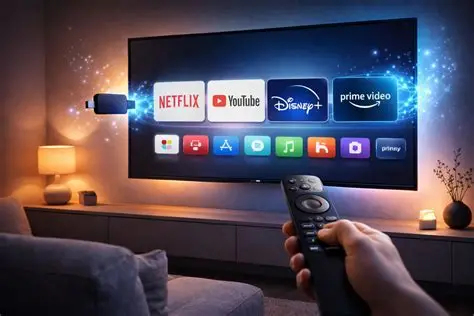
Introduction: You Don’t Need a New TV to Experience Smarter Entertainment
The television industry has changed dramatically over the past decade. Streaming platforms, on-demand entertainment, voice assistants, and high-resolution video have transformed the way people consume digital content at home. Yet, despite these developments, millions of households still use televisions that lack built-in smart features or offer outdated software with limited application support. Replacing an otherwise functional television simply to access modern entertainment can be an unnecessary expense, particularly when a small streaming device can deliver many of the same conveniences.
Streaming devices have become an important part of the consumer electronics market because they connect traditional television hardware with today’s internet-powered entertainment ecosystem. These compact gadgets typically connect through an HDMI port and use Wi-Fi or, on selected models, Ethernet to deliver streaming applications, online videos, music, and other digital services. Depending on the hardware, users can also benefit from voice-controlled search, personalised recommendations, high-dynamic-range video, and integration with compatible smart-home devices.
However, choosing the right streaming device involves more than comparing prices or looking at the number of supported applications. Processing performance, operating system design, connectivity, software support, regional availability, and compatibility with existing equipment all influence the experience. Some products are designed for straightforward everyday streaming, while others provide advanced media playback and deeper integration with connected devices. Here are six streaming devices worth considering when upgrading an older television without investing in an entirely new screen.
Apple TV 4K stands out in the streaming-device market for its combination of responsive hardware, polished software, and integration with Apple’s broader ecosystem. Unlike a basic streaming stick, it uses a dedicated set-top-box design that connects to a compatible television through HDMI. Its interface is designed around smooth navigation and convenient access to supported entertainment applications, making it suitable for viewers who want a consistent experience across multiple streaming services. For households already using iPhones, iPads, or other Apple products, its ecosystem integration adds another layer of convenience.
The device supports 4K streaming and advanced audiovisual formats on compatible hardware, including Dolby Vision and Dolby Atmos on supported configurations. These technologies can improve image contrast, colour presentation, and immersive sound, although the actual results depend on the television, audio equipment, streaming platform, and content. AirPlay also allows compatible Apple devices to share supported videos, photos, presentations, and other content with the television. Siri voice control provides another way to search for entertainment without navigating menus manually.
From a technology perspective, Apple TV 4K is particularly appealing to users who value performance consistency and a relatively cohesive interface. Its access to Apple TV+, Apple Music, Apple Arcade, and compatible third-party applications also gives it broader functionality than a device designed exclusively for video playback. Nevertheless, its premium pricing may be difficult to justify for users who only need a few basic streaming applications. Buyers should also remember that the streaming box connects to the television through HDMI, and the HDMI cable may need to be purchased separately depending on the package.
For technology enthusiasts seeking a premium streaming media player with strong ecosystem integration, Apple TV 4K is a compelling option. It is best suited to people who will use its advanced features regularly rather than those simply looking for the cheapest way to bring online video to an older screen.
The Amazon Fire TV Stick 4K demonstrates how a small hardware accessory can significantly expand a television’s capabilities. Designed to plug into an HDMI port, it connects to a wireless network and provides access to compatible streaming applications through Amazon’s Fire TV platform. Its compact design reduces the need for additional shelf space, making it particularly convenient for wall-mounted televisions, bedrooms, and smaller entertainment setups. The included remote, with Alexa voice control on compatible models, allows users to search for programmes, open supported applications, and control certain connected smart-home devices.
Its technical capabilities depend on the generation, but compatible Fire TV Stick 4K models support 4K Ultra HD streaming and advanced picture and audio formats such as Dolby Vision, HDR10+, and Dolby Atmos. These features are useful for users with compatible displays and sound equipment, although they do not improve the native resolution of a television that only supports standard HD. The Fire TV operating system also brings together applications, recommendations, and entertainment discovery tools, reducing the need to search through individual services every time a viewer wants to find something new.
One of the device’s most practical advantages is its accessible price relative to premium streaming boxes. It provides a convenient entry point for people who want modern streaming functionality without making a substantial investment in new hardware. The trade-off is that its home screen includes recommendations and promotional content, which some users may find less minimal than competing interfaces. Performance and available features can also differ between generations, so checking the exact model is important.
For households already using Alexa-enabled speakers, compatible smart plugs, or other Amazon-connected devices, the Fire TV Stick 4K can fit naturally into an existing smart-home setup. Before purchasing, however, users should confirm that their preferred applications are available in their country and that their internet connection can reliably support the streaming resolution they intend to use.
Not every viewer needs advanced smart-home integrations or an elaborate entertainment interface. For many households, the primary requirement is simple: connect an older television to the internet, open a preferred streaming application, and start watching. Roku’s Streaming Stick family is designed around this type of straightforward experience, offering compact hardware and an interface that makes supported streaming services easy to access. The stick-style form factor also keeps the setup relatively discreet, particularly when the television is mounted on a wall.
Roku’s operating system places considerable emphasis on navigation and content discovery. Instead of requiring users to manage separate interfaces for every service, the platform offers a central environment for browsing supported applications and available entertainment. Depending on the model and market, users may also gain access to free ad-supported channels, subscription streaming services, and additional entertainment features. Certain Roku models and regional versions support voice controls and mobile-app functionality, though capabilities vary across the product range.
The most important consideration is choosing the appropriate Roku model. Entry-level devices may support HD streaming, while higher-tier versions can provide 4K resolution and selected HDR formats. Buying a more expensive model does not automatically improve the picture on a television that lacks compatible display technology. It is also worth checking local availability, because Roku’s product selection and application ecosystem differ across markets.
Roku is particularly suitable for viewers who prefer uncomplicated technology and want to upgrade a secondary television without paying for features they are unlikely to use. Its straightforward approach can also be helpful for families who share a television and want a familiar interface. For buyers comparing streaming devices for older televisions, Roku offers a practical alternative to more complex platforms, provided the desired hardware and applications are supported in their region.
The Google TV Streamer takes a broader approach to home entertainment by combining streaming applications, personalised recommendations, and selected smart-home capabilities in one device. Unlike traditional streaming sticks, it uses a compact set-top-box design that sits near the television and connects through HDMI. The Google TV interface organises entertainment from compatible services and helps users discover films and television programmes through recommendations and watchlists. This approach can be especially useful for households that subscribe to multiple streaming platforms and frequently spend time deciding what to watch.
Google TV Streamer supports 4K HDR streaming, with Dolby Vision and Dolby Atmos available in compatible configurations. Its voice-search functionality can help users locate specific programmes or explore entertainment by genre, actor, or other supported criteria. Google Cast compatibility also allows supported applications to send content from a compatible phone or tablet to the television. Together, these features create a flexible viewing environment that combines conventional remote-based navigation with the convenience of mobile devices.
The device’s smart-home functionality provides another point of distinction. It can act as a hub for compatible Matter and Thread devices, depending on the configuration and supported features, allowing it to play a role in a broader connected-home system. This could appeal to users who want to coordinate compatible lighting, sensors, and other smart-home products alongside their entertainment setup. However, these benefits are most relevant to households that already own or intend to purchase compatible devices.
Google TV Streamer may be more expensive than basic streaming sticks, and its value depends on whether users will take advantage of its additional features. Buyers should also verify regional availability, app compatibility, and the requirements of their preferred streaming services. For technology-focused households looking for a combination of content discovery, 4K streaming, and smart-home integration, it offers a versatile upgrade for a compatible older television.
Chromecast with Google TV introduced a more traditional television interface to Google’s familiar casting technology. Earlier Chromecast products relied heavily on a phone, tablet, or computer to select and control content, while Chromecast with Google TV added an on-screen interface and a dedicated remote. This made it possible to browse compatible streaming applications directly on the television while retaining the option to cast supported content from other devices.
The product family includes HD and 4K versions, so buyers need to identify which model they are considering. The 4K version is designed for compatible UHD displays, while the HD model is intended for televisions that support lower resolutions. Both can provide access to supported streaming applications, although exact availability and capabilities depend on the model, software, and region. Voice search and Google’s content-discovery interface also make it easier to explore entertainment without typing lengthy titles into an on-screen keyboard.
For many users, the device remains relevant because it offers a familiar way to modernise a television without replacing it. However, Google has shifted its newer streaming hardware strategy towards the Google TV Streamer, making Chromecast with Google TV an option that should be evaluated carefully when shopping for new equipment. Availability may be limited to existing stock or refurbished units, and buyers should verify the condition of second-hand devices, included accessories, software support, and return policies.
Storage limitations and connectivity requirements may also matter to users who install numerous applications or maintain more demanding entertainment setups. If a Chromecast with Google TV is already part of your home, it can continue to provide useful streaming functionality. If you are buying a device for the first time, compare its price and remaining software support with newer alternatives before making a decision.
The NVIDIA Shield TV Pro occupies a more specialised position in the streaming market. Rather than focusing solely on basic app access, it offers a combination of streaming functionality, media playback features, and support for more advanced home entertainment setups. Built on Android TV-based software, the device provides access to supported streaming applications, Chromecast functionality, and compatible media-server tools. These capabilities make it particularly attractive to users who maintain personal media libraries or want greater flexibility in managing digital video content across their home network.
One of its best-known features is AI-enhanced upscaling, which can improve the perceived clarity of supported lower-resolution video on a compatible high-resolution display. Upscaling does not recreate the original detail of native 4K footage, but it can make certain HD content appear sharper. The Shield TV Pro also supports selected advanced video and audio formats, with results depending on the media source, streaming application, television, receiver, and sound system. For users with a dedicated home cinema, these capabilities provide additional flexibility beyond what many entry-level streaming sticks offer.
The device’s support for compatible media-server applications is another significant advantage. Users can organise and access supported personal video collections, while more advanced setups may allow content to be streamed across devices on the same network. This makes the Shield TV Pro particularly interesting for people who want to combine online streaming with locally stored entertainment. Nevertheless, these additional capabilities may require more configuration than a basic streaming device, and some features depend on compatible software and network equipment.
Its premium price is also an important consideration. Casual viewers who mainly use a few streaming services may find that a less expensive device meets their needs just as effectively. The Shield TV Pro makes more sense for technology enthusiasts who value media-library flexibility, advanced playback features, and greater control over their entertainment environment. For this audience, it can turn a compatible older television into a more capable component of a connected home cinema system.
What Should You Check Before Buying a Streaming Device?
Before purchasing a streaming device, start with the television’s available ports and display specifications. Most modern streaming sticks and media boxes require HDMI, so an older television without HDMI may need a compatible converter. Such adapters do not guarantee full functionality, and resolution or audio support may be limited. It is also important to understand the difference between HD and 4K streaming. A 4K device can often be used with a lower-resolution television, but the picture will remain limited by the screen’s capabilities.
Internet connectivity is equally important. Streaming quality depends on the stability and speed of the connection, the resolution being played, and the number of devices sharing the network. A strong Wi-Fi signal can help reduce buffering, while Ethernet may be useful when supported and when a wired connection is more practical. Users should also check whether their preferred applications are available in their country and whether their existing subscriptions support the video quality and features they want to use.
Finally, consider the operating system and the device’s expected support. A low purchase price may be attractive, but long-term value also depends on application compatibility, security updates, interface performance, and available features. Buyers should check the precise model number rather than relying on a product family’s name alone, since different generations can have significantly different specifications.
Final Verdict: The Right Streaming Device Can Extend Your TV’s Life
Streaming devices demonstrate how relatively small technology upgrades can extend the usefulness of existing electronics. Instead of replacing a television that still delivers a satisfactory picture, users can add internet-connected applications, voice search, and modern content-discovery features through a compatible HDMI device. For many households, this offers a more economical route to connected entertainment while reducing the need to discard working hardware.
Apple TV 4K is a strong choice for users who value premium performance and Apple’s ecosystem, while Amazon Fire TV Stick 4K offers compact hardware and convenient voice control. Roku prioritises simplicity, Google TV Streamer combines personalised recommendations with smart-home functionality, and Chromecast with Google TV remains worth considering for existing owners and carefully evaluated refurbished purchases. NVIDIA Shield TV Pro is better suited to enthusiasts who want more advanced media playback and personal-library capabilities.
Ultimately, the best streaming device is not necessarily the most expensive or the one with the longest specification sheet. It is the product that matches your television, preferred applications, connectivity requirements, budget, and everyday viewing habits. By checking these factors before purchasing, you can give an older television a useful second life and build a more flexible entertainment setup without committing to a complete hardware replacement.

Software Developer & Writer
Hey, I'm Diva, a developer and writer blending code and creativity. I'm driven by a deep curiosity and a relentless pursuit of excellence. Join me as I craft digital solutions and captivating stories.


Leave A Comment