
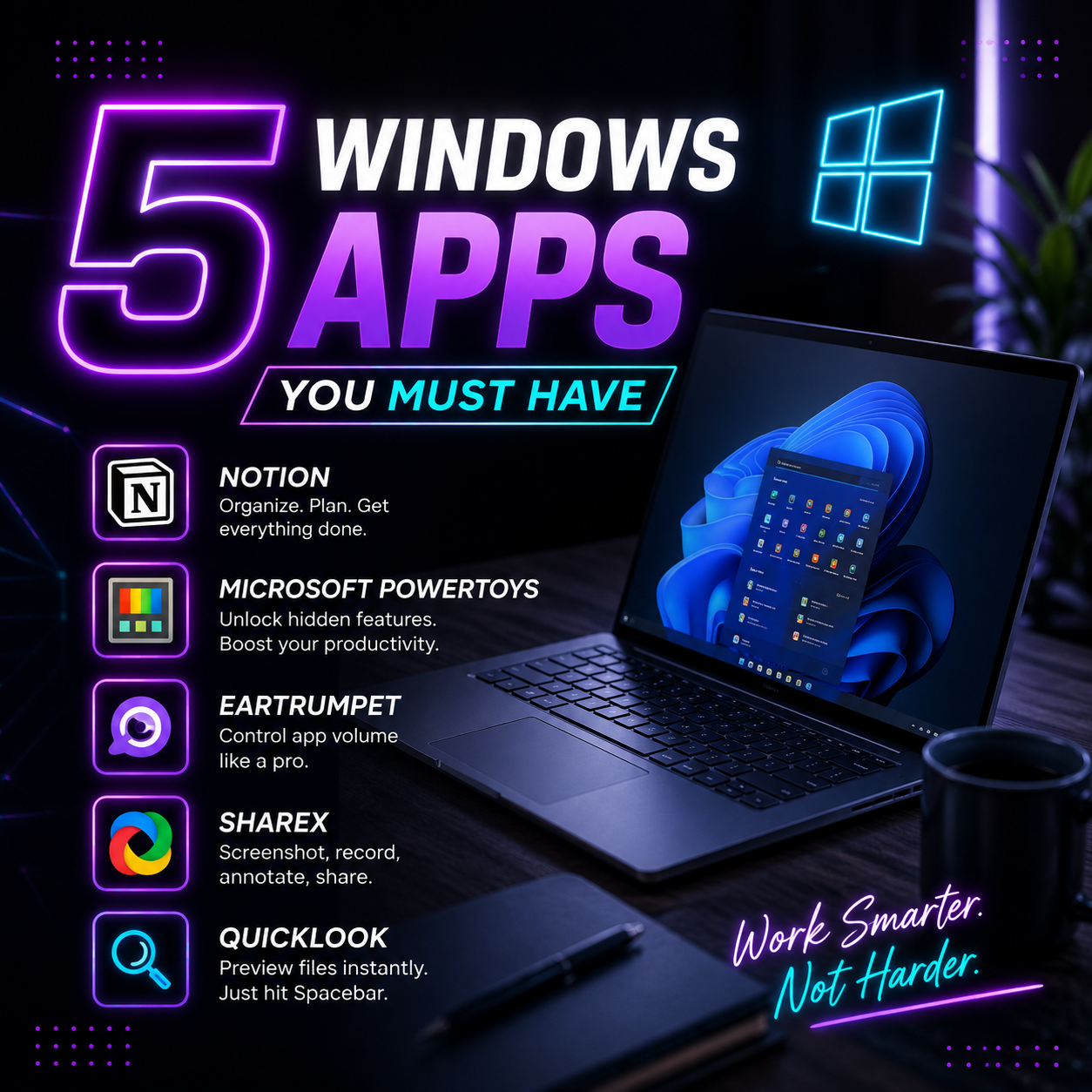
5 Windows Apps You Must Have in 2026: Powerful Tools That Can Transform Your Everyday Workflow
Windows has always been one of the most flexible operating systems, but the real power of a Windows PC comes from the apps you install. Whether you are a student, professional, creator, developer, or someone who simply wants a smoother digital experience, the right applications can completely change the way you work.
Many users spend hours searching for productivity tools, customization options, screenshot utilities, and organization apps, but only a few applications truly deserve a permanent place on your Windows device. From managing your ideas and improving productivity to enhancing everyday file interactions, these apps solve common problems that Windows users face.
Here are five must-have Windows apps that can improve your workflow, boost efficiency, and make your PC experience much smarter.
In the modern digital world, managing information efficiently has become more important than ever. Whether you are handling personal goals, professional projects, research, content planning, or daily tasks, keeping everything organized in one place can save hours of unnecessary effort.
Notion has become one of the most popular productivity applications because it combines notes, databases, task management, project tracking, and collaboration features into a single workspace.
Unlike traditional note-taking apps, Notion gives users complete control over how they organize information. You can create simple text notes, build content calendars, manage business projects, track habits, create study planners, or even design a personal knowledge database.
For professionals and creators, Notion works like a digital command center. Marketing teams can use it for campaign planning, writers can organize articles, students can manage assignments, and entrepreneurs can track business ideas.
One of the biggest advantages of Notion is its flexibility. Users can start with a basic page and gradually transform it into a complete productivity system. The availability of templates makes it easier for beginners to create dashboards without starting from scratch.
Another reason behind Notion’s popularity is its clean and distraction-free interface. Instead of switching between multiple apps for notes, tasks, and documentation, users can keep everything connected in one place.
For anyone looking to improve organization and productivity on Windows, Notion is an essential application.
Windows already offers a powerful operating system experience, but many advanced features remain hidden from everyday users. This is where Microsoft Power Toys becomes extremely useful.
Microsoft Power Toys is a free collection of utilities designed to enhance Windows functionality and provide users with additional customization and productivity options.
One of the most popular features is Fancy Zones, which allows users to create customized window layouts. Instead of manually resizing applications, you can create specific zones on your desktop and organize multiple windows efficiently.
This feature is especially useful for professionals who work with multiple applications simultaneously, such as researchers, designers, developers, and financial analysts.
Another powerful tool inside Power Toys is Power Rename, which makes bulk file renaming much easier. Instead of changing file names individually, users can rename hundreds of files within seconds.
The Keyboard Manager feature allows users to remap keys and create custom shortcuts, making daily tasks faster and more personalized. For example, you can assign frequently used commands to specific keys according to your workflow.
Power Toys also includes tools like Text Extractor, which can copy text from images, and Always On Top, which keeps important windows visible while working.
The biggest advantage of Microsoft Power Toys is that it improves Windows without adding unnecessary complexity. It feels like an official upgrade to the operating system and is highly recommended for users who want more control over their PC.
Managing audio on Windows can sometimes be frustrating, especially when multiple applications are running at the same time. A browser video, music player, gaming application, and video call may all require different volume levels.
This is where EarTrumpet becomes a valuable tool.
EarTrumpet is a lightweight Windows application that provides advanced audio controls directly from the taskbar. It replaces the basic Windows volume mixer with a more powerful and user-friendly interface.
The app allows users to adjust the volume of individual applications separately. For example, you can lower the volume of a browser video while keeping your communication app louder during a meeting.
This feature is extremely useful for people who frequently multitask. Content creators, gamers, remote workers, and students can manage different audio sources without constantly opening complicated settings.
Another advantage of EarTrumpet is its seamless integration with Windows design. It looks and feels like a natural part of the operating system rather than an external application.
The app also makes switching between audio devices much easier. If you use headphones, speakers, and external monitors, EarTrumpet provides quick control over where your sound is coming from.
For users who want better audio management without installing complicated software, EarTrumpet is one of the simplest yet most useful Windows applications available.
Taking screenshots is a basic computer task, but most built-in screenshot tools offer only limited functionality. For users who regularly capture screens, create tutorials, share information, or document processes, a more advanced solution is necessary.
ShareX is one of the most powerful free screenshot and screen recording applications available for Windows.
Unlike standard screenshot tools, ShareX offers dozens of capture options. Users can capture full screens, specific windows, selected areas, scrolling webpages, and even record screen activity.
One of the biggest reasons professionals prefer ShareX is its automation features. After taking a screenshot, the application can automatically upload the image, copy the link, save the file, or perform additional actions.
This makes ShareX extremely useful for remote teams, designers, developers, and content creators who frequently share visual information.
The editing capabilities are another major advantage. Users can add arrows, highlights, text, shapes, and annotations before sharing screenshots. This eliminates the need to open separate image editing software for simple modifications.
ShareX also supports workflows that save time. For example, someone creating technical documentation can capture screenshots, edit them, and instantly share them with teammates.
Despite offering advanced features, ShareX remains lightweight and completely free. It is one of those applications that users may not appreciate immediately but eventually cannot imagine working without.
One small feature that many Windows users admire from macOS is instant file preview. On Mac, users can simply select a file and press the spacebar to preview it without opening another application.
Windows does not provide the same experience by default, but QuickLook brings this functionality to Windows computers.
QuickLook allows users to quickly preview files by pressing the spacebar. Whether it is an image, document, video, or audio file, users can check the content without opening a separate program.
This simple feature can save significant time, especially when managing large numbers of files. Instead of opening multiple documents to find the right one, QuickLook provides an instant preview.
For photographers, designers, office professionals, and students, this application makes file management much faster and more convenient.
The app supports various file formats and integrates naturally with Windows File Explorer. Its minimal design keeps the experience simple while improving everyday productivity.
QuickLook is a perfect example of how a small improvement can create a much better user experience.
Why These Windows Apps Are Worth Installing
The best software is not always the one with the most features. The best applications are those that solve everyday problems and make digital tasks easier.
Notion helps you organize your thoughts and projects. Microsoft PowerToys unlocks advanced Windows features. EarTrumpet improves audio management. ShareX makes capturing and sharing information effortless. QuickLook speeds up file browsing with instant previews.
Together, these five applications create a more productive, efficient, and enjoyable Windows experience.
Whether you are building a professional workflow, managing personal projects, studying, or simply trying to get more from your computer, these tools can significantly improve the way you interact with your PC.
A powerful computer is not only defined by its hardware. The right software can completely transform how you work, create, and communicate.
Installing these must-have Windows apps is a simple step toward building a smarter and more productive digital environment.

Software Developer & Writer
Hey, I'm Diva, a developer and writer blending code and creativity. I'm driven by a deep curiosity and a relentless pursuit of excellence. Join me as I craft digital solutions and captivating stories.



Leave A Comment