
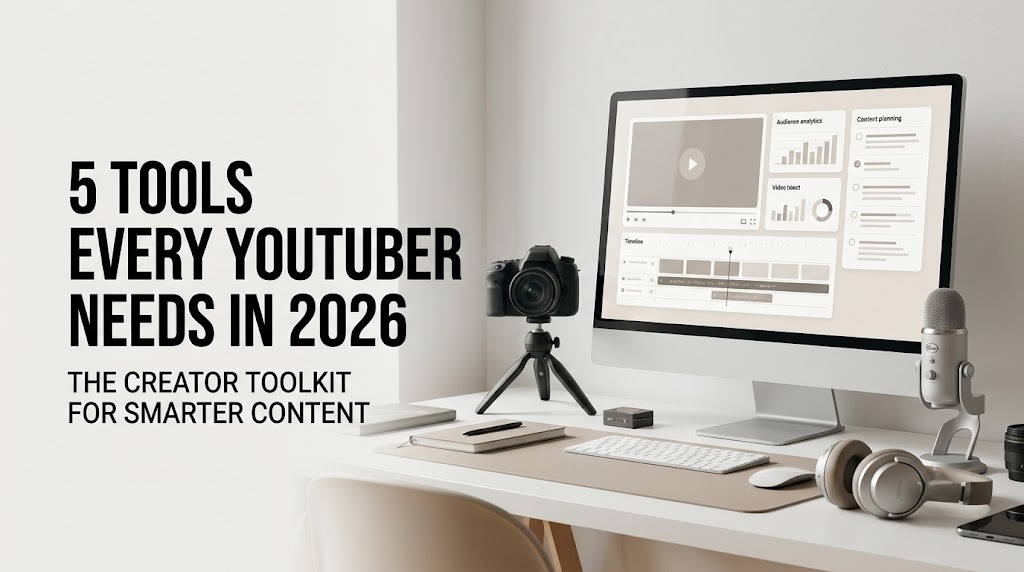
5 Tools Every YouTuber Needs in 2026
YouTube in 2026 is no longer just a platform where creators upload videos and wait for views. It has evolved into a sophisticated media ecosystem where content, community, analytics, branding and business strategy intersect. For creators, that shift has changed what it takes to build a sustainable channel.
A good camera and a decent microphone are still useful, but they are no longer the complete creator toolkit. Behind almost every successful channel is a system for finding ideas, understanding audiences, producing content efficiently, designing compelling visuals and measuring what works. The right digital tools can make that system faster without taking away the creative personality that makes a channel worth following.
The challenge is choosing tools that genuinely solve problems rather than simply adding another subscription to the monthly budget. In 2026, five platforms stand out across the modern YouTube workflow: YouTube Studio, CapCut, Canva, TubeBuddy and Notion.
YouTube Studio: Where the Numbers Tell the Story
Every YouTuber has access to one of the most important tools in the creator ecosystem without needing to install anything extra. YouTube Studio is the operational center of a channel, bringing together publishing, audience information, analytics, monetization and content management.
Its importance becomes clearer once a channel begins producing content consistently. Views may tell a creator how much attention a video received, but metrics such as impressions, click-through rate, average view duration, audience retention and traffic sources can provide much more context.
Consider two videos that each receive 50,000 views. One may have generated those views from a large number of impressions but converted relatively few viewers into clicks. Another may have received fewer impressions but attracted a much higher percentage of viewers and kept them watching for longer. Those patterns suggest very different opportunities for future content.
Audience retention can be equally revealing. A sudden drop in viewers may indicate that an introduction is taking too long, a section feels repetitive or the video has moved away from the promise made by its title and thumbnail.
This makes YouTube Studio more than an analytics dashboard. It becomes a feedback mechanism. Every upload generates information that can influence the next one, allowing creators to replace assumptions with evidence.
CapCut: The Speed Layer of Modern Video
Editing has become one of the biggest areas of change in the creator economy. The expectation is no longer simply to publish a polished horizontal video. Creators increasingly work across long-form videos, Shorts, teasers, clips and social content, often from the same original recording.
CapCut has become particularly useful in this environment because it is designed around fast, accessible editing. Captions, transitions, effects, aspect-ratio adjustments and other editing functions can be handled without the complexity associated with traditional professional editing workflows.
For a solo creator, that difference can be significant.
Imagine filming a long-form interview. The main conversation can become a YouTube episode, while several strong moments can be turned into Shorts. A particularly useful quote might become a social clip, while another section could be repurposed for promotional content.
This approach changes the economics of content creation. Instead of treating every piece of content as a separate production, creators can build multiple assets from one recording session.
CapCut is not necessarily a replacement for professional editing software in every production environment. Larger channels with dedicated editors may require more advanced tools. But for creators who need speed and flexibility, particularly those producing short-form content alongside YouTube videos, it can become a valuable part of the production stack.
Canva: Because the Click Still Matters
There is an uncomfortable truth about YouTube: even a great video can be ignored if its packaging does not earn attention.
The thumbnail and title are often the first interaction between a viewer and a video. That makes visual design an important part of content strategy, not simply an afterthought once editing is complete.
Canva gives creators a relatively straightforward way to design thumbnails and maintain a consistent visual identity without needing extensive graphic-design experience. Templates can provide a starting point, while custom typography, photography, layouts and brand elements can help a channel develop its own recognizable look.
But the best use of Canva is not necessarily about creating increasingly elaborate thumbnails. In a crowded feed, clarity can be more effective than complexity. A strong thumbnail should communicate an idea quickly, establish visual hierarchy and complement the title rather than simply repeating it.
Canva also extends beyond YouTube thumbnails. Creators can use it for channel banners, media kits, sponsor presentations, social graphics and promotional assets.
That broader role is increasingly relevant because creators are becoming small media brands. The person behind the camera may also be responsible for pitching advertisers, communicating with an audience and maintaining a consistent identity across several platforms.
A flexible design tool can help keep those touchpoints visually connected.
TubeBuddy: Making Research Part of the Creative Process
One of the biggest mistakes creators can make is treating research as something that happens after a video is produced.
TubeBuddy is designed to bring more research and optimization into the YouTube workflow. Its features can help creators investigate keywords, evaluate potential topics and refine elements such as titles and metadata.
The real value of these capabilities is not that they provide a guaranteed formula for success. No tool can reliably predict which individual video will become a breakout hit. Instead, research tools can help creators understand the environment in which their content will compete.
Before spending several days producing a video, a creator can investigate whether an idea already has an established audience, identify related search terms and examine how other channels approach the subject.
That information can lead to better questions.
Instead of simply asking, “What video should I make?”, a creator can ask, “What does the audience already want to know, and what perspective can I bring that is genuinely different?”
That shift is important. Data can identify demand, but it cannot manufacture originality. The creator still needs expertise, experience or a compelling point of view.
TubeBuddy works best when treated as a research assistant rather than a creative director.
Notion: The Tool Viewers Never See
The most valuable tool in a creator’s workflow may be the one that never appears on screen.
As channels grow, organization becomes increasingly difficult. Ideas accumulate. Brand emails arrive. Sponsorship deadlines overlap with filming schedules. Several videos may sit at different stages of production simultaneously.
Notion can provide a central workspace for managing that complexity.
A creator can maintain an editorial calendar, store video ideas, develop scripts, organize research and track production stages from one place. A simple workflow might move a video through stages such as idea, research, script, filming, editing, thumbnail, scheduled and published.
That structure may sound mundane, but it can have a significant impact on consistency.
Creativity is often associated with spontaneity, yet professional content production depends heavily on systems. When the organizational side of the process is under control, creators can spend more energy thinking about stories, visuals and audience value.
Notion can also become a knowledge base for the channel. Reusable information—including brand guidelines, sponsorship requirements, recurring video structures and production checklists—can live alongside the editorial calendar.
The result is a workflow that becomes easier to repeat as the channel gets larger.
The Real Creator Stack Is Bigger Than Five Apps
These five tools cover different parts of the YouTube journey, but their greatest value appears when they work together.
A creator might use TubeBuddy to research a topic, Notion to develop the idea and organize the production process, CapCut to edit the footage, Canva to create the thumbnail and YouTube Studio to evaluate the results.
That creates a continuous cycle: research, create, package, publish and learn.
The important word is “learn.”
The creator economy is moving quickly, particularly as artificial intelligence becomes embedded in editing, research, design and content-management platforms. More tasks are becoming automated, and production is becoming faster.
But faster production does not necessarily mean better content.
When the barriers to creating a video become lower, originality becomes more important. If thousands of creators can generate polished captions, thumbnails or basic scripts in minutes, audiences have more reason to look for something that cannot be easily replicated: a distinctive perspective.
That is why tools should be viewed as infrastructure rather than identity.
They can make a creator faster. They can make a workflow cleaner. They can provide useful data and remove repetitive work. But they cannot replace the reason someone decided to subscribe in the first place.
What YouTubers Should Focus on in 2026
The modern YouTuber is increasingly part creator, part publisher and part entrepreneur. The work does not stop when the camera turns off. Research, editing, design, distribution, analytics and audience relationships all contribute to the final result.
The five tools discussed here can help reduce the friction between those stages. YouTube Studio helps creators understand performance. CapCut accelerates production. Canva strengthens visual packaging. TubeBuddy supports research and optimization. Notion keeps the operation organized.
But the objective should never be to use more software simply because it is available.
The better question is simpler: Does this tool help me make better decisions, create better content or save meaningful time?
If the answer is yes, it earns a place in the workflow. If not, it may simply be another distraction.
In 2026, technology is making it easier than ever to become a YouTube creator. The harder—and more valuable—task is building a channel that people have a reason to return to.
“Tools can accelerate the work, but a creator’s point of view is what makes the work worth watching.”

Software Developer & Writer
Hey, I'm Diva, a developer and writer blending code and creativity. I'm driven by a deep curiosity and a relentless pursuit of excellence. Join me as I craft digital solutions and captivating stories.

Leave A Comment