
Top 5 Free vs Paid AI Tools: What Do You Actually Get When You Upgrade?
Artificial intelligence has moved from being an experimental technology to an everyday productivity layer. People now use AI to write emails, research ideas, analyse documents, create presentations, generate images, write code, plan campaigns and even organise their work.
But there is one question that comes up almost immediately: Is the free version enough, or is it worth paying for AI?
The answer is less straightforward than it looks. Most major AI platforms now offer surprisingly capable free tiers, meaning casual users can accomplish a lot without spending anything. Paid plans, however, are increasingly designed around heavier usage, advanced models, higher limits, deeper research and access to premium creative or productivity features.
The difference is not simply “free is basic, paid is better.” It is more about how frequently you use AI, what kind of work you do and how much friction you are willing to tolerate.
Here are five major AI tools where the difference between free and paid plans is worth understanding.
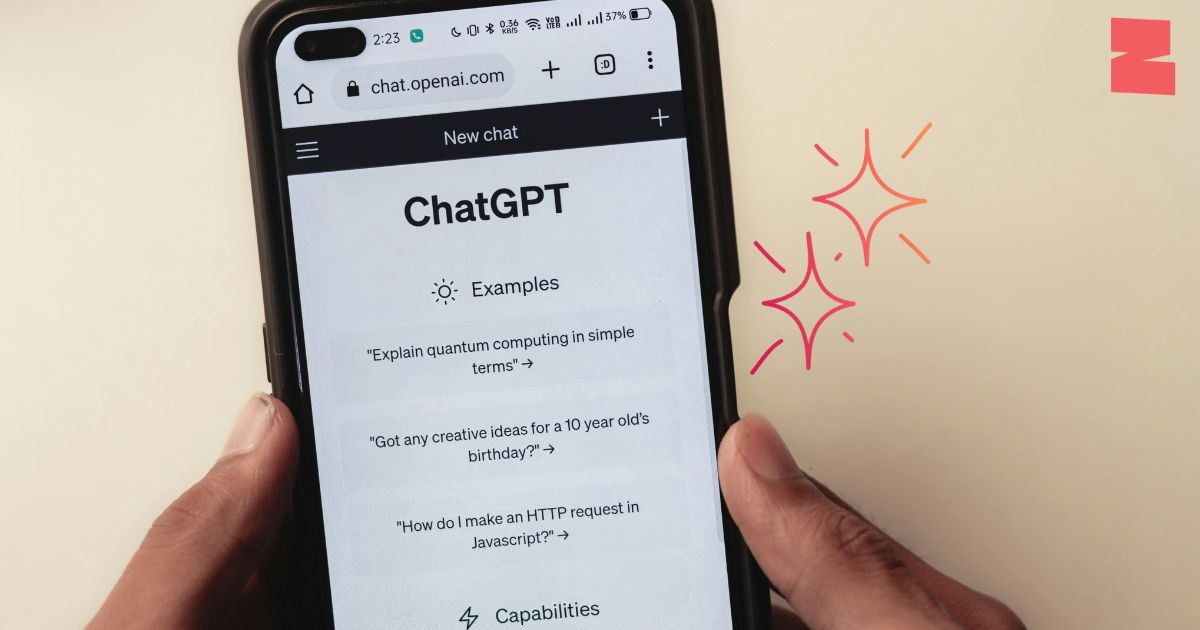
OpenAI’s ChatGPT is perhaps the clearest example of how quickly AI assistants have evolved. What started primarily as a conversational chatbot has become a broader workspace for writing, research, analysis, coding, image creation and problem-solving.
The free version is already capable enough for everyday users. You can use ChatGPT for brainstorming, rewriting, learning concepts, asking questions, generating content and working through everyday problems. It also supports capabilities such as web search, images and data analysis, although availability and usage limits can vary.
For someone who uses AI occasionally perhaps to rewrite a CV, understand a difficult topic or generate social-media ideas the free tier can be perfectly practical.
The calculation changes when AI becomes part of your daily workflow. ChatGPT Plus costs $20 per month in the US and provides broader access to models and tools, higher usage limits, faster responses and advanced reasoning capabilities.
OpenAI also offers additional subscription levels, including ChatGPT Go and Pro, with different usage levels and capabilities.
The real advantage of paying is therefore not simply getting “better answers.” It is getting more room to work. If you regularly analyse files, conduct research, code, create content or work through complicated multi-step tasks, hitting fewer limits can make the paid experience considerably smoother.
Free makes sense for: casual users, students, occasional writing and everyday questions.
Paid makes more sense for: professionals, researchers, creators, developers and people who use AI throughout the working day.
Anthropic’s Claude has built its identity around thoughtful responses, writing, coding and handling substantial amounts of information.
Its free plan is more capable than many people might expect. Users can chat through the web and mobile apps, create and edit content, analyse text and images, generate code, visualise data and use web search.
That makes Claude Free particularly interesting for writers, students and professionals who want a serious AI assistant without immediately subscribing.
The paid experience, however, is designed for people who need to use Claude more intensively. Claude Pro costs $20 per month when billed monthly, or effectively $17 per month with the annual plan, according to Anthropic’s current pricing information.
Pro adds more usage, access to Claude Code, unlimited Projects, Research, integrations with Google Workspace and extended thinking for more complex tasks.
This distinction matters for people whose work involves large documents or long-running projects. A casual user may never encounter the limits that make Pro attractive. A professional who spends hours every day drafting, researching, coding or analysing material may experience the difference much more clearly.
Claude’s free plan is therefore not merely a trial version. It can genuinely serve as a useful everyday AI assistant. The paid plan becomes more compelling when volume, continuity and advanced workflows start to matter.
Free makes sense for: writers, students, casual researchers and people experimenting with AI.
Paid makes more sense for: heavy users, developers, professional writers and people managing longer or more complex projects.
Google approaches AI differently because Gemini does not exist in isolation. It increasingly sits alongside products millions of people already use, including Gmail, Docs, Drive and other Google services.
That ecosystem is arguably the biggest reason to look beyond the chatbot itself.
The free Gemini experience can handle everyday questions, writing, brainstorming, research and other general AI tasks. For users who primarily want an AI chatbot, that may be enough.
Google’s paid ecosystem is more extensive. Google AI Pro is currently listed at $19.99 per month in the US and includes expanded access to Gemini’s more capable models and Deep Research, alongside 5 TB of storage and Gemini features integrated into Google applications.
The paid plan also extends into Google’s broader creative and developer ecosystem, including expanded access to tools such as Google Flow, AI Studio and other AI capabilities.
This makes Gemini particularly interesting for people who already live inside Google’s ecosystem. Imagine researching a topic, drafting a document, organising information in Drive and working inside Gmail without constantly jumping between separate applications. The value comes from integration, not just model performance.
There is another important consideration: Google AI plans bundle storage and other benefits with AI access. So the subscription isn’t necessarily comparable to paying purely for a chatbot. For someone already paying for additional Google storage, the overall value calculation can look different.
Free makes sense for: everyday users, students and people who occasionally need an AI assistant.
Paid makes more sense for: Google Workspace-heavy users, researchers, creators and professionals who want AI integrated into Google’s broader ecosystem.
Perplexity takes a different route from traditional AI chatbots. Its identity is closely tied to AI-powered search and research, with answers accompanied by citations.
The free version provides basic AI search, citations and practically unlimited basic searches, while access to more advanced search capabilities is limited. Perplexity’s current plan information lists the free tier as including limited Pro Searches and basic file uploads.
For someone who simply wants to ask questions and quickly find sourced information, that can be enough.
Perplexity Pro, priced at $20 per month, is built for people who need considerably more research power. It offers expanded Pro Search access, advanced AI models, image and video generation, greater file-analysis capacity and access to additional productivity features.
The key difference is the nature of the workflow. If your questions are things like “What is this?” or “How does this work?”, Free can go a long way. But if you’re regularly researching markets, companies, industries, academic topics or complex subjects, the additional research capabilities can become much more relevant.
Perplexity is especially interesting because its Pro subscription gives users access to multiple advanced AI models rather than locking the experience around a single model family.
That makes the platform feel less like a conventional chatbot subscription and more like an AI research layer sitting on top of the web.
Free makes sense for: quick research, everyday questions and occasional searches.
Paid makes more sense for: researchers, analysts, students, journalists and professionals who perform frequent information-heavy work.
Canva is slightly different from the other tools on this list because its core purpose is visual creation. AI is increasingly embedded throughout the platform, helping users create designs, write copy, generate images, resize content and develop marketing assets.
The Canva Free plan remains surprisingly substantial. It includes thousands of design types, a large library of templates and free creative assets, basic AI capabilities and cloud storage. Canva currently lists up to 20 uses of its applicable AI tools on the Free plan.
For someone creating an occasional Instagram post, presentation, poster or simple social graphic, Free can be enough.
Canva Pro changes the experience by unlocking premium content, additional brand tools and more advanced AI capabilities. Canva currently lists its Pro plan at $180 per year for one person on its US pricing page, although pricing can vary by market and billing arrangement.
The AI allowance is also substantially higher. Canva says Pro users can receive up to 200 uses of Premium AI tools or up to 20 uses of Ultra AI tools under the listed allowance structure, compared with the Free plan’s lower allowance.
But perhaps the bigger difference is everything surrounding AI. Pro gives creators access to premium templates, stock assets, brand tools, background removal, resizing and other features that can significantly reduce the time required to produce marketing content.
For a person creating one poster a month, paying may not make much sense. For a social-media manager producing content every day, the equation changes dramatically.
Free makes sense for: beginners, students, occasional designers and personal projects.
Paid makes more sense for: creators, marketers, agencies, businesses and anyone producing visual content at scale.
Free vs Paid AI: What Is Actually Worth Paying For?
The biggest mistake people make is assuming that every AI subscription needs to be treated like essential software.
It doesn’t.
Today’s free AI plans are powerful enough that many people can accomplish most of their everyday tasks without paying. If you’re asking occasional questions, rewriting text, generating basic ideas or experimenting with AI, start with free. You may discover that you don’t need anything else.
The argument for paying becomes stronger when AI starts saving you measurable time.
If you spend an hour every day researching, writing, designing, analysing or coding, a paid plan that removes limitations can become less about buying “AI” and more about buying back time.
There is also a growing difference between AI tools based on workflow. ChatGPT and Claude are broader general-purpose assistants. Gemini becomes particularly interesting when Google’s ecosystem is central to your work. Perplexity is heavily oriented toward research and web-based information discovery. Canva is designed around visual production.
That means there isn’t one universal definition of the “best” AI subscription. The useful question is different:
Which AI tool fits the work you actually do?
A student researching assignments may get substantial value from free ChatGPT, Claude, Gemini or Perplexity. A marketing professional creating daily campaigns might find Canva Pro more relevant. A researcher conducting extensive online investigations could benefit more from Perplexity Pro. Someone working extensively inside Gmail and Google Docs may find Google AI Pro’s ecosystem integration more useful.
The smartest approach is often to use free versions first, identify your bottleneck and only then upgrade.
If your problem is usage limits, consider a paid chatbot. If your problem is research depth, look at a research-focused service. If your problem is creating polished visual content quickly, a design platform may provide more practical value.
AI subscriptions are becoming less about owning the most powerful tool and more about building the right personal AI stack.
And that may be the most important shift of all: you don’t necessarily need five paid AI tools. You need the right combination of capabilities for the way you work.

Software Developer & Writer
Hey, I'm Diva, a developer and writer blending code and creativity. I'm driven by a deep curiosity and a relentless pursuit of excellence. Join me as I craft digital solutions and captivating stories.

Leave A Comment